Turn your trade history into better trading decisions.
Bring Shark Exchange and Delta Exchange India into one private trading journal. Review P&L, execution, notes, and performance trends without moving between platforms.
Two broker histories flow into one private performance journal.
Net P&L+INR 42.8K
Win rate62%
Avg. R:R1.8
Recent importsUpdated now
SBTC-INR LongShark Exchange · ReviewedSynced
DETHUSD PerpetualDelta India · Realized activitySynced
Read-only API•Encrypted credentials•5-minute auto sync
Inside TradeYatra
See your complete trading day in one focused dashboard.
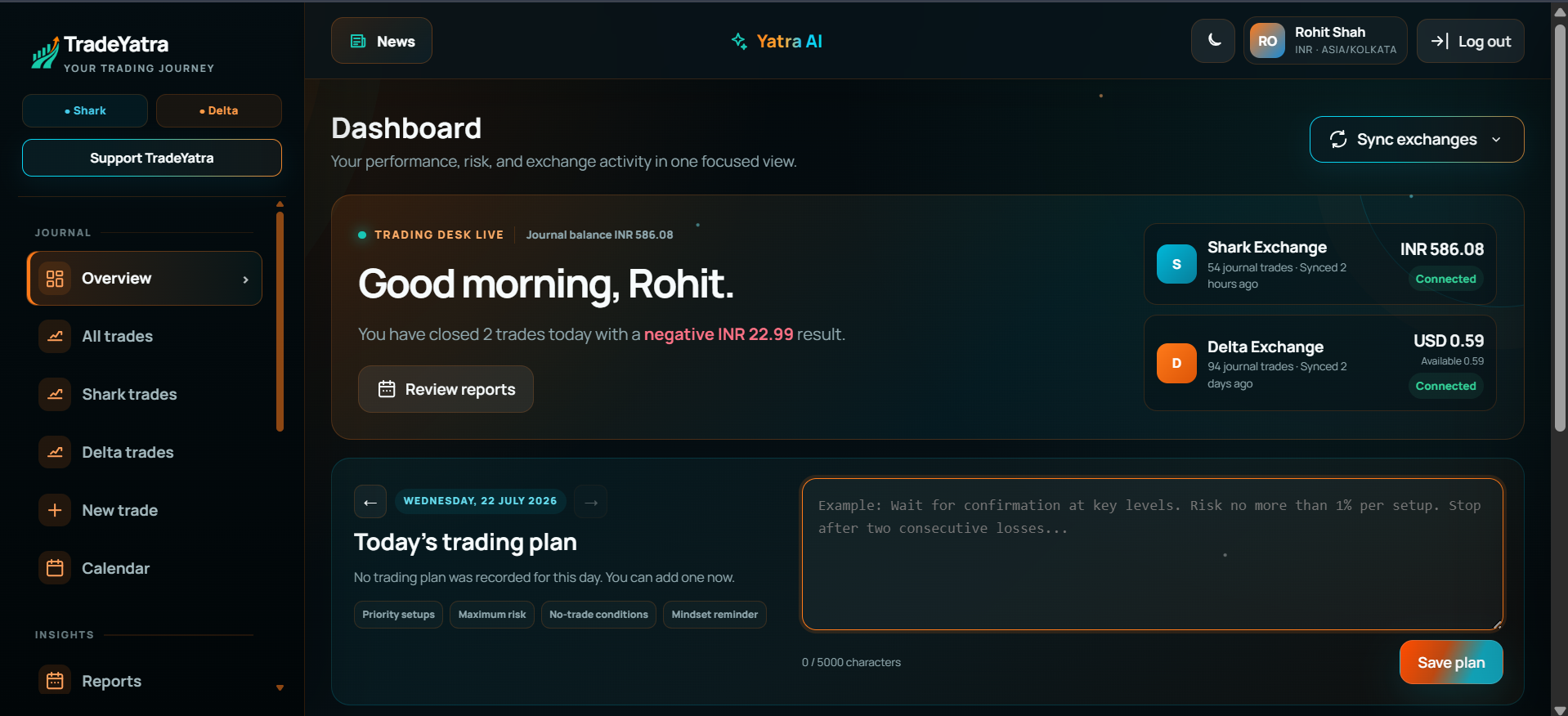
This is the workspace you will enter after login. Check exchange balances, review recent performance, sync Shark and Delta activity, and write your trading plan without moving between multiple screens.
Live exchange overviewDaily trading planPerformance and risk review
Your journal, ready after login. Real features shown from the TradeYatra dashboard.Create Your Free Journal
Supported exchanges
Two supported exchanges. One trading journal.
TradeYatra currently provides dedicated API connection and automatic journal-sync workflows for the two exchanges below.
Supported now: Shark Exchange and Delta Exchange India
S
Shark Exchange
Supported
Connect a dedicated API key and bring your Shark futures activity into a structured journal.
Step 1Choose your exchangeConnect Shark, Delta India, or both.
Step 2Add a secure API keyUse the guided connection process and minimum permissions.
Step 3Sync and reviewBring supported activity into one journal and analyze each exchange separately or together.
TradeYatra is a journaling and analytics platform—not a broker, exchange, or trade-execution service.
Everything needed for a focused trading review.
Connect activity, add context, and find the patterns worth improving.
01
Connect and capture
Sync Shark and Delta activity or add trades manually in one journal.
02
Add useful context
Keep screenshots, setups, notes, mistakes, and emotions beside each trade.
03
Review performance
Use P&L, win rate, filters, and the calendar to identify repeatable patterns.
04
Improve discipline
Separate planned losses from avoidable mistakes with notes and process tags.
After you log in
See the journal in action.
Three real product views show how daily results become a clearer review process.
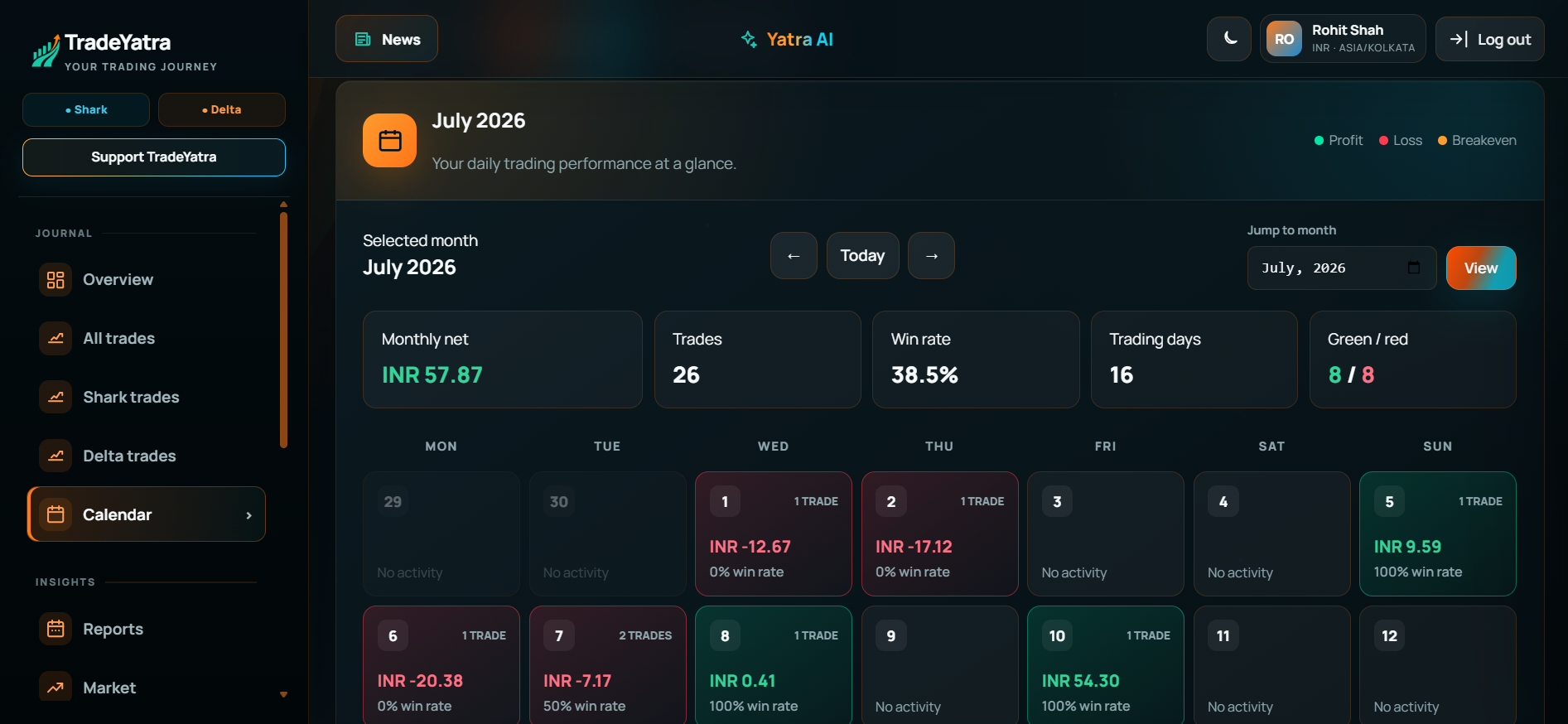
Calendar review
Read the month at a glance.
The P&L calendar makes streaks, drawdowns, and inactive days visible before you begin a deeper review.
Daily profit, loss, and trade countMonthly totals and winning-day summaryFast navigation between review periods
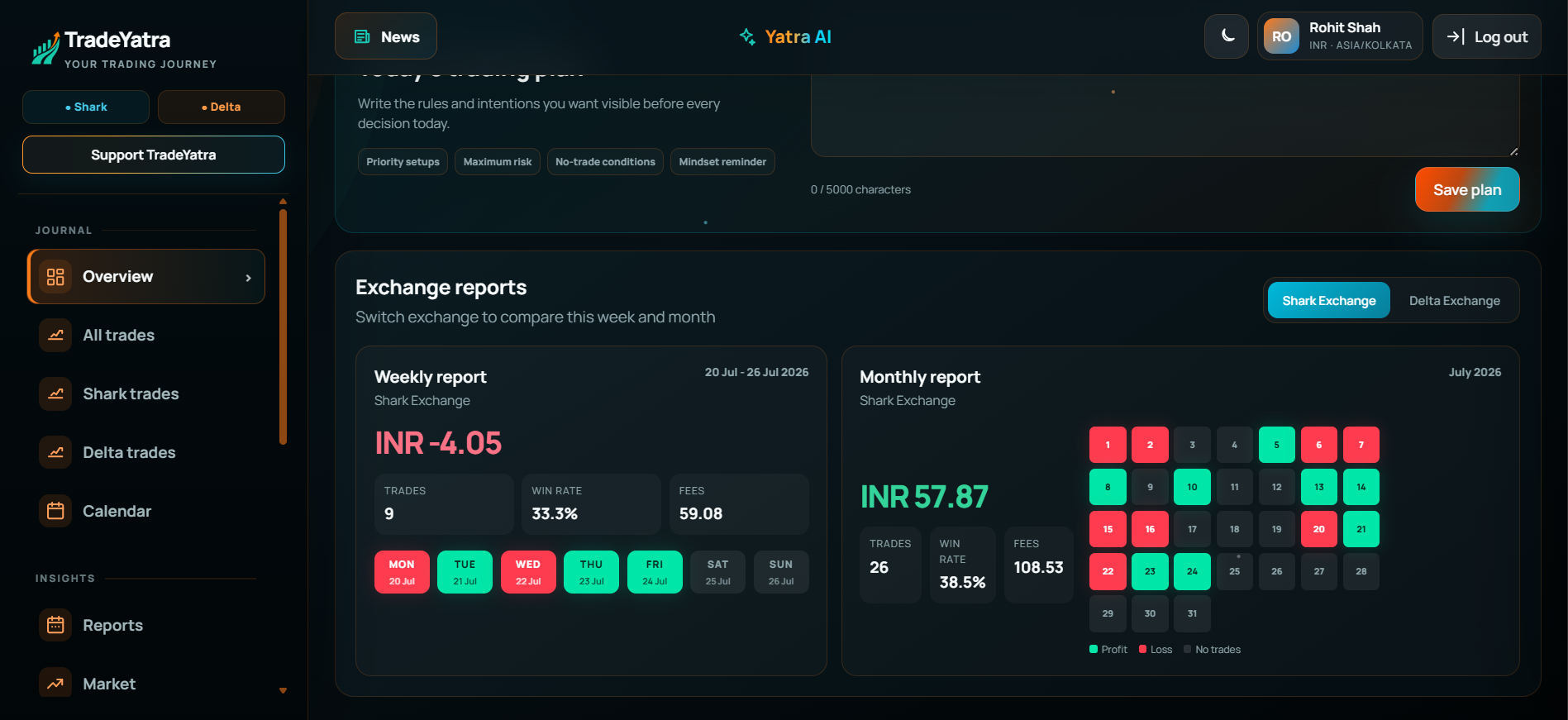
Dashboard heatmap
Compare the week and month in one view.
Switch between Shark and Delta reports, review headline metrics, and scan the monthly heatmap for green, red, and inactive days.
Weekly and monthly net P<rades, win rate, and fees togetherExchange-specific performance switching
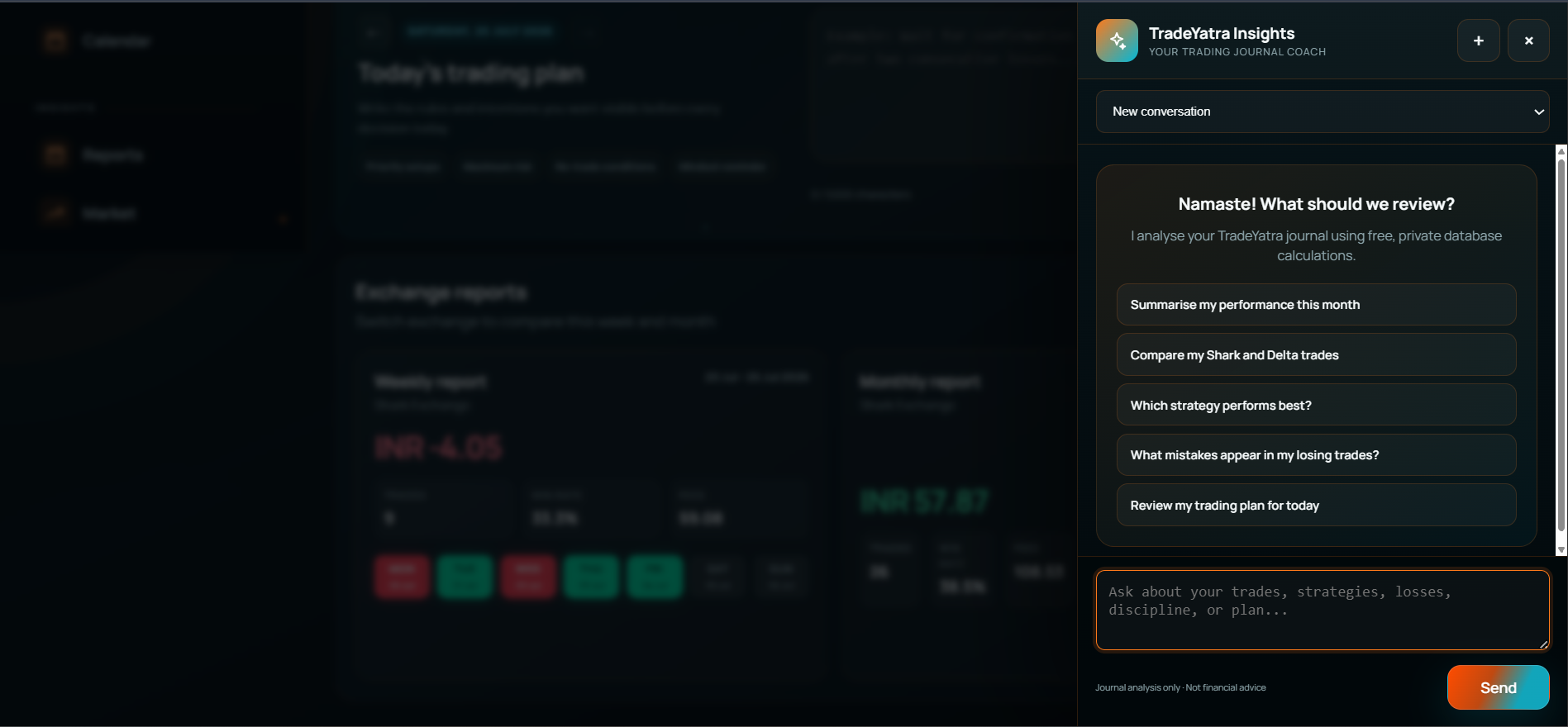
TradeYatra Insights
A journal coach that starts with your own data.
Ask focused questions in plain language and receive private, database-driven calculations from the trades and notes already in your journal.
Summarise monthly performance and disciplineCompare Shark and Delta trading resultsIdentify stronger strategies and recurring losing mistakesReview today’s trading plan before the sessionJournal analysis only—never financial advice or market predictions
Designed around your data
Your journal is private by default.
TradeYatra is built as a personal record-keeping and review tool. Broker credentials are used only for the connections you configure, and the product never places trades on your behalf.
✓API credentials are stored encrypted by the application.
✓Each account can access only its own journal records.
✓Read and sync workflows—not an execution or advisory service.
Build a trading record you can trust.
Start your journal, keep your review cycle simple, and make every session easier to learn from.
Clear answers about access, exchange connections, privacy, and how TradeYatra uses your data.
Which exchanges does TradeYatra support?
TradeYatra currently supports dedicated connection and sync workflows for Shark Exchange and Delta Exchange India.
Is TradeYatra free to start?
Yes. You can create an account and start using the currently available trading journal features without payment.
Can TradeYatra place trades or withdraw funds?
No. TradeYatra is a record-keeping and review tool. It does not place trades, withdraw funds, or provide trade-execution services.
How are my exchange API credentials handled?
Credentials configured for exchange connections are stored encrypted and used only for the supported read and sync workflows. Use a dedicated API key with only the minimum required permissions.
Can I journal trades without connecting an exchange?
Yes. You can add trades manually and include setups, screenshots, notes, mistakes, emotions, and execution details.
Does Yatra AI provide trading signals?
No. Yatra AI reviews the journal data and notes already in your account. It is designed for performance reflection—not predictions, signals, or financial advice.
Contact us
How can we help?
Questions about TradeYatra, connecting an exchange, or your account? Send us a message and include enough detail for us to point you in the right direction.